| Knowledge Base Article Number | Product |
| KB000400 | DocFusion Workbench |
Problem Description
Users who have AVG Anti-Virus installed sometimes encounter the error "Cannot Start the Application" when launching DocFusion Workbench. Installations of DocFusion Workbench may also be blocked by AVG and throw the same error. In either scenario, AVG Anti-Virus then quarantines, or removes, DocFusion Workbench from the user's computer even though it is a digitally signed application with a valid certificate.
This error sometimes occurs after an update to Microsoft .NET version 4.8 or an upgrade to AVG Anti-Virus version 2022.3.0.76.
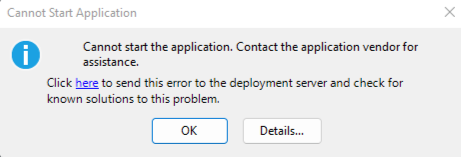 DocFusion Workbench error dialog
Root Cause
This is not a compatibility issue. It is a known issue with AVG Anti-Virus, free and other editions.
For security reasons, some applications may be evaluated as a threat by AVG Anti-Virus because of file-system or other behaviours. In DocFusion Workbench's case, there are no specific indications of malicious activity. The only instance in which DocFusion Workbench is blocked by AVG Anti-Virus seems to be the creation of folders on the local disk for application data. While this in an effective preventative measure for AVG Anti-Virus to take, it is a false-positive evaluation of DocFusion Workbench.
Solution
To resolve this error, and continue installing or using DocFusion Workbench, follow these steps:
- Disable AVG's Behaviour Shield.
- If that doesn't work, disable AVG Anti-Virus temporarily.
- Login to, or install, DocFusion Workbench again.
1. Disable AVG Behaviour Shield
Note that these steps may vary depending on which version of AVG Anti-Virus you are using.

- Right-click on the AVG Anti-Virus icon in your system tray and navigate to its Settings.
- Select the Basic Protection tab, then click Behaviour Shield.
- Switch off the Behaviour Shield.
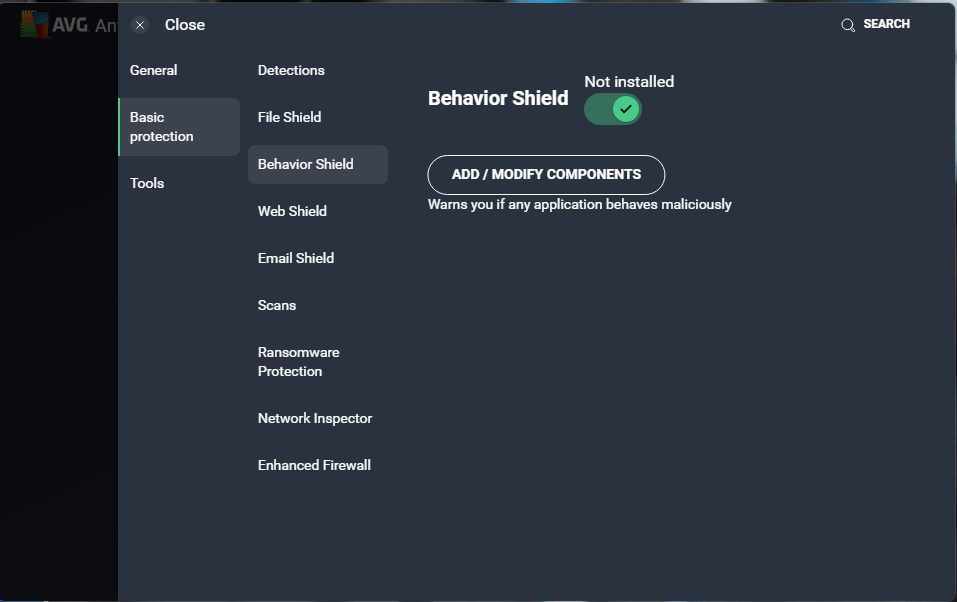 AVG protection settings
2. Disable AVG Anti-Virus Temporarily
To disable AVG Anti-Virus, please follow the steps in this guide provided by their support team:
How to temporarily disable AVG Antivirus | AVG
3. Login to or install DocFusion Workbench again
For each solution that you try, test the effectiveness of your action by logging-in to DocFusion Workbench again. If the installation of DocFusion Workbench was blocked previously, remove any temporary files first before attempting a new installation.
Further Actions (Optional)
If you would like to verify the validity of DocFusion Workbench, you may:
- Contact our support team by emailing [email protected]
- Contact AVG Anti-Virus by pointing your browser to https://support.avg.com/