Error handling for templates is customized in Template Designer and overrides the global business unit setting. When set, it applies only to the current template. Follow the steps in this guide to perform the customization.
1. Open the template
Open DocFusion Workbench and locate the template that you want to set a custom error level on.
Check-out the template file, then edit it using the command in the Items menu, This opens the template in Template Designer (an add-in to Microsoft Word).
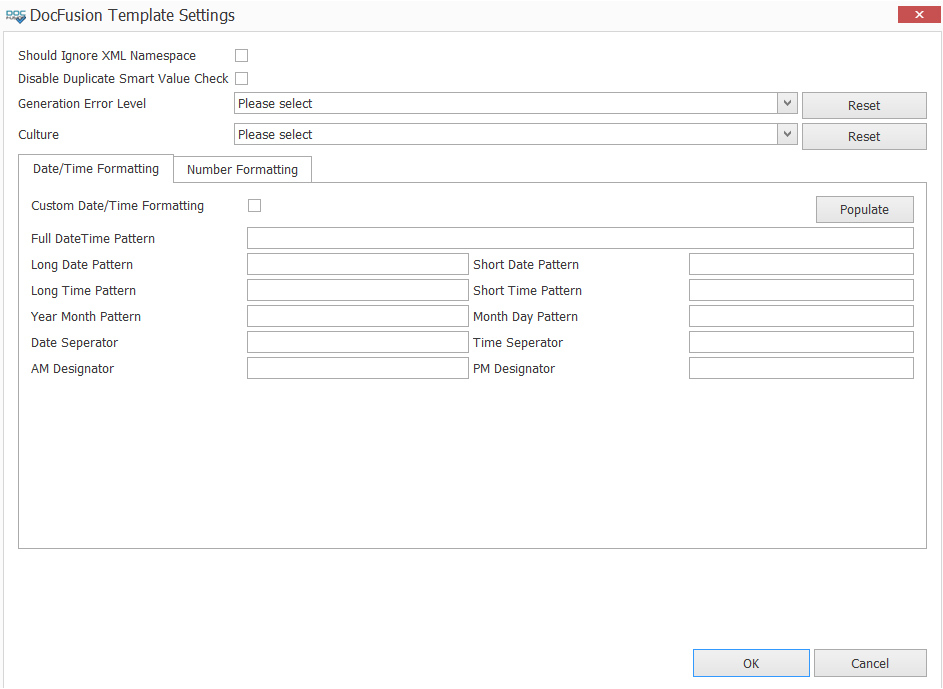
Now, in the Document group of the DocFusion ribbon-bar, click Settings. The Template Settings dialog opens.
2. Customize error handling
Locate the Generation Error Level setting. Using the dropdown, select an option that reflects the level of error handling tolerance to apply during generation-time.
For clarity on each level of error handling, please see this guide...

Click OK to save your changes and dismiss the dialog.