DocFusion's integration with Azure Active Directory (AAD) services allows users to logon using their Microsoft account credentials. The authentication scheme can be configured in WorkBench, and applies to logon's to DocFusion servers and business units. Only user accounts that have AAD enabled can use their Microsoft accounts to logon, though they can still logon using their DocFusion usernames and passwords.
The instructions in this guide cover both login methods.
Initiating login
Once you open WorkBench and select your Business Unit, click Logon in the Repository menu. The authentication window opens.
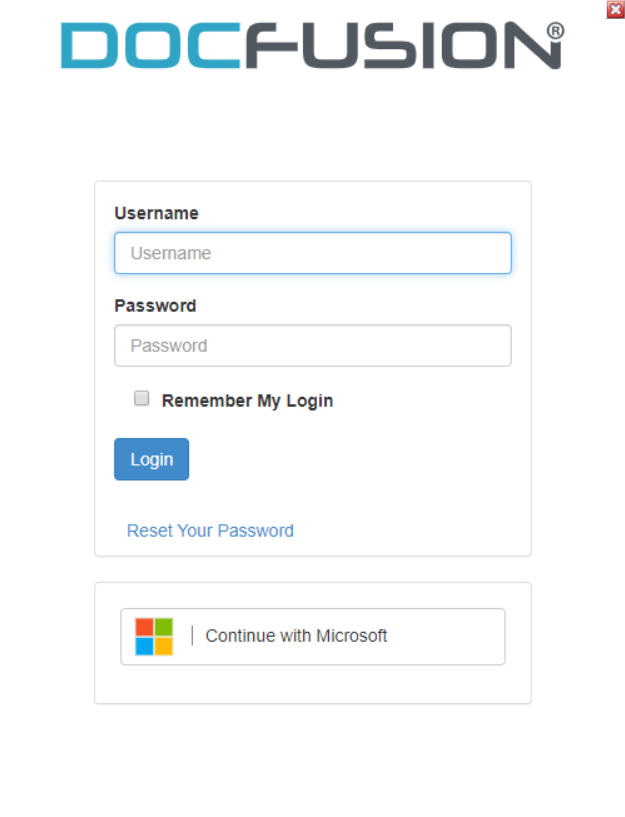
You now have the option to login with your username and password (DocFusion credentials) or using your Microsoft account. Follow the appropriate instructions below:
Login using Username & Password
Type in your Username and Password into the respective fields, then click Login.
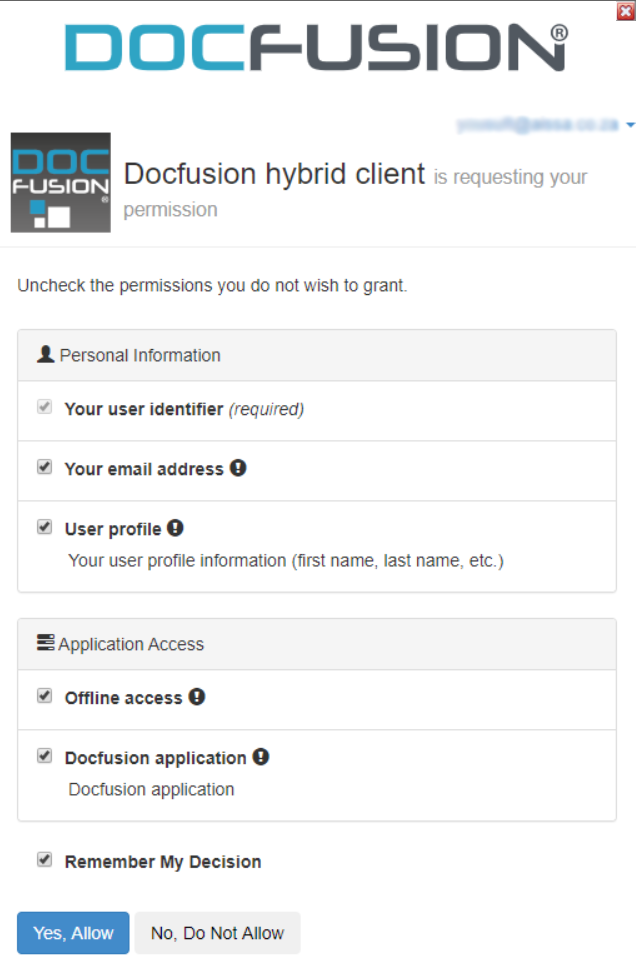
The Permissions dialog opens next. Click Allow once you've reviewed it to complete logging on.

To login faster in future, enable Remember My Login.
Login using your Microsoft account
Once you have initiated login, click Continue with Microsoft to login using AAD. The familiar Microsoft sign-on screen opens.
Now, sign-in using your Microsoft credentials.
If you have Two-Factor Authentication (2FA) enabled on your Microsoft account, you will need to confirm the logon using your authenticator app.
The Permissions dialog opens next. Click Allow once you've reviewed it to complete logging on.
Enable Remember My Decision if you don't want to allow permissions each time you logon.
Once you've logged on, you will have a view of automation assets in your business unit and access to related commands in Workbench.